
Course Creator AI Assistant
Turn your source material into a complete FutureLearn short course.
Course Creator AI Assistant is an interactive, multi-platform tool that helps users design, develop, and manage educational courses. It checks the source material, plans the weeks, activities and steps, writes every step, builds the course on the platform and tests the result.
Every course is designed to FutureLearn’s pedagogical framework for asynchronous, step-based learning, and passes eight quality gates. A human signs off at every milestone, and the process stops until every open question has been answered by a human. The goal: your next course, without compromising quality.
How does it work?
Eight stages, one pipeline, and Course Creator AI Assistant drives the whole pipeline. It asks questions up front, pauses for approval after each stage and reports the estimated cost.
Every stage has a quality check. The course only moves forward when it passes, with human judgement wherever automated checks can't decide. Problems go back to the stage that caused them. If a check fails or a question is unanswered, the course does not move forward.
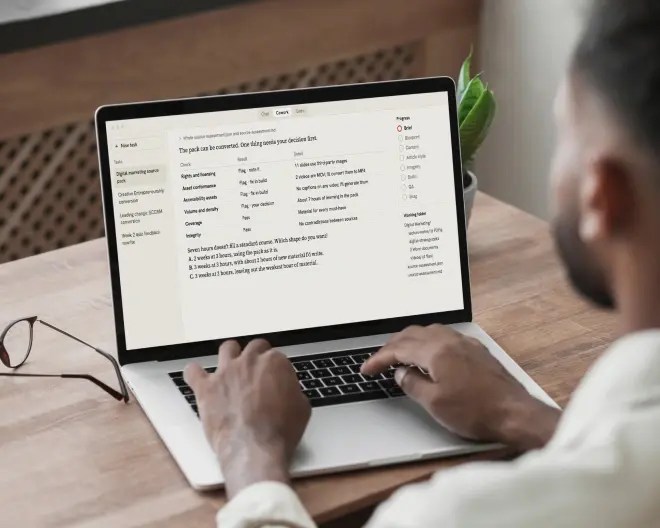
It checks the source material and decides the course’s size.
What is checked?
Ensuring the audience, coverage and length are clear, the testing matches the promise and open questions have an owner and date.
Sign-off
A complete plan
It plans the structure of weeks, activities and steps.
What is checked?
The outline matches the plan; there are sensible steps per week and activity and every must-have topic is in a named step.
Sign-off
An approved outline
It writes the text for every step.
What is checked?
Headings, numbering, quizzes and polls are set up properly; images are described; nothing from the plan is missing.
Sign-off
Approved content
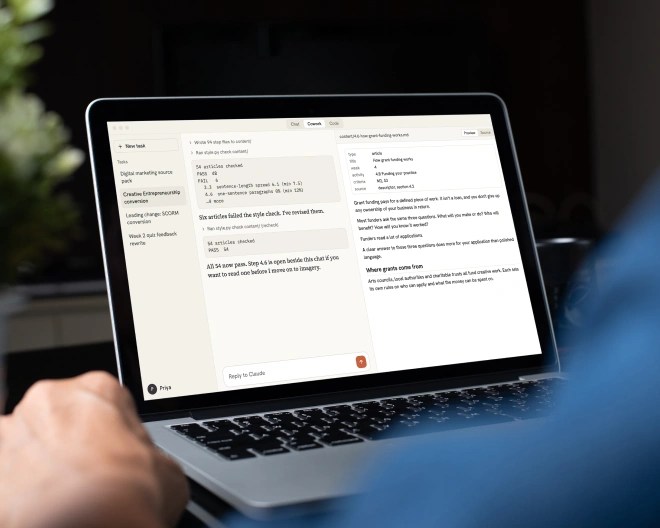
It refines articles for a natural, engaging reading experience.
What is checked?
Articles are compared against real FutureLearn articles; there is a before-and-after list of every change.
Sign-off
Checked articles
It creates course diagrams and illustrations.
What is checked?
Image placements match the plan and any outdated, blank or incorrectly sized images are rejected.
Sign-off
Approved images
You can create the course on FutureLearn by controlling your browser.
What is checked?
Structure, counts and image placements are correct and a record confirms every change was saved.
Sign-off
A built course
You'll review the finished course in a fresh session.
What is checked?
Every pass or fail is backed by evidence and the builder’s own claims are checked.
Sign-off
A reviewed report
You'll resolve QA findings, then check each fix again.
What is checked?
Every issue is addressed with evidence and resolved items return for another review.
Sign-off
A verified fix record
Ready to create your next course?
What makes Course Creator AI Assistant different?
Course Creator AI Assistant incorporates FutureLearn’s four-tier framework for asynchronous, step-based learning, drawing on theories and frameworks from Sweller, Mayer, Laurillard, Gagné, Bruner, Roediger & Karpicke, Bloom, Deci & Ryan and UDL.

Pedagogy built in
Every course follows FutureLearn’s four-tier pedagogical framework: micro-learning steps, retrieval practice, conversation and automated mastery quizzes.

Quality gates at every stage
Eight stages, each with a check. A course only moves on once the check is passed, and every pass or fail is backed by evidence.

Human sign-off at every milestone
Eight sign-off points. The process stops until every open question has been answered by a human, who also judges what automated checks can’t.
Independent QA and repair
QA runs in a fresh session with no build context. Every finding gets a disposition, fixes carry proof, and a second review confirms each repair.
Any source, one route in
Start from a descriptor, a SCORM package, a Course Studio export, existing materials or web resources. The brief checks the source and sets the course size.
Ready to create your next course?
Fill out the form to get in touch
With quality assurance at every stage, you can start building your course right away.